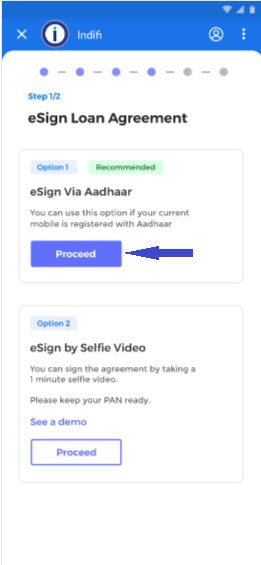
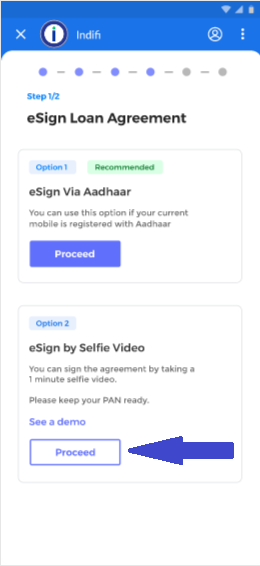
Step 1: Once the offer is accepted, you will get option to eSign or sign through a selfie video.
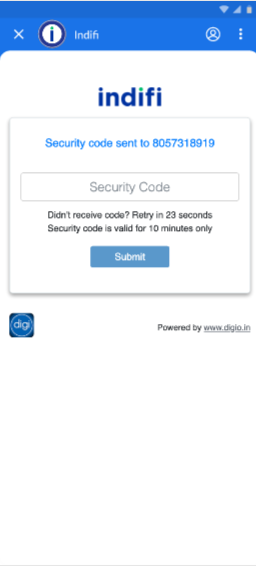
Step 2: Select the first option "eSign Via Aadhar" by clicking on the proceed button under first option. You will receive an OTP on your mobile phone registered with Indifi.
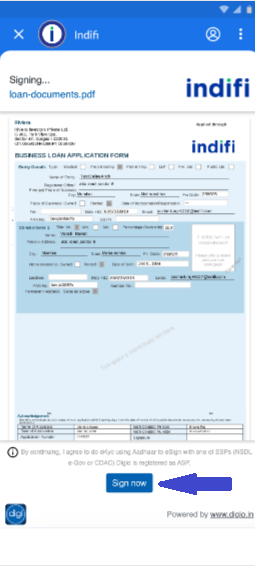
Step 3: Now you will be able to review the agreement. At the bottom of the screen you will see option to sign agreement. Click on "Sign Now".
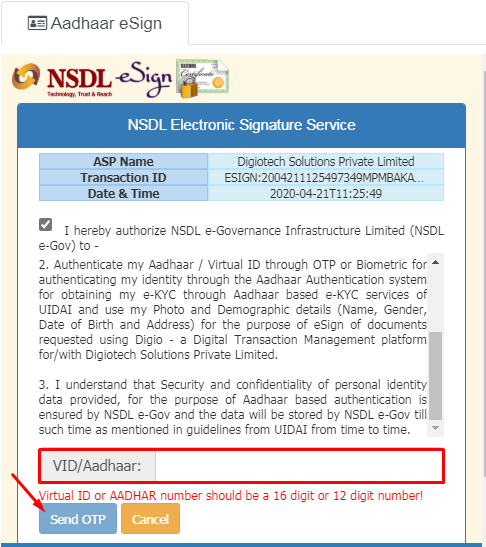
Step 4: In the next screen, please provide your Aadhaar Number/VID. An OTP will be sent on the registered email/mobile number link to that Aadhaar.
Step 5: Enter the OTP received to complete the eSign process. After successful submission, you will get "Thank You" page and signing process is complete.
How to Sign loan agreement using Video Selfie
Step 1: Once the offer is accepted, you will get option to eSign or sign through a selfie video. Please select second option as indicated below.
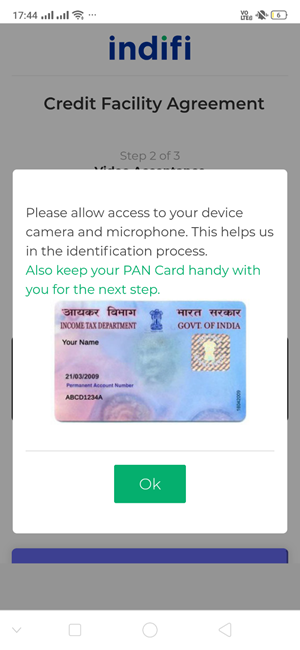
Step 2: Next screen will contain guidelines to complete video signing and access to camera/microphone/location. Also, you will require your PAN Card during the process. Please keep it handy and then click on OK.
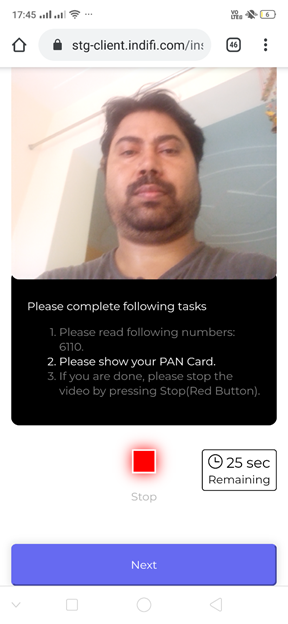
Step 3: Start your video by clicking on the "Start" button. You will see instructions at the bottom of the page. You need to clearly speak 4 digits mentioned on the screen and show your PAN card clearly.
Once you have completed both the mentioned steps, click on "Next" button.
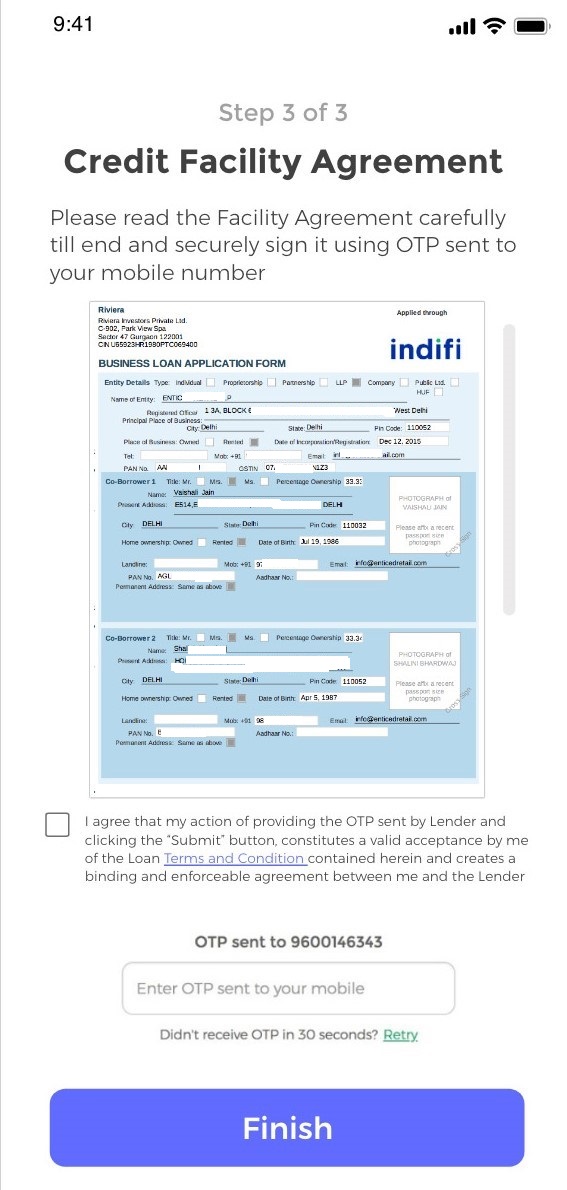
Step 4: Next screen will contain the agreement. Also, you will receive an OTP on the shared mobile number. Please provide OTP at the bottom of screen to sign the agreement.