Questions on authorising E-NACH?
How to Authorize eNach
You can authorise an eMandate using your netbanking login or your debit card and PIN.
Step 1: click on the option 1 - "Set up eMandate"
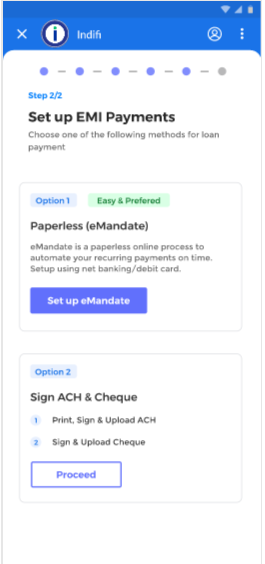
Step 2: Next screen will show you details of the mandate. You can select Net Banking or Debit Card (depending on whether that bank has that option), then click Continue.
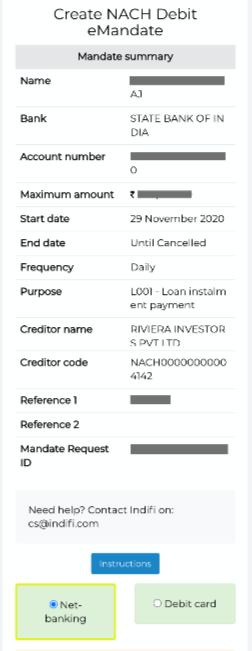
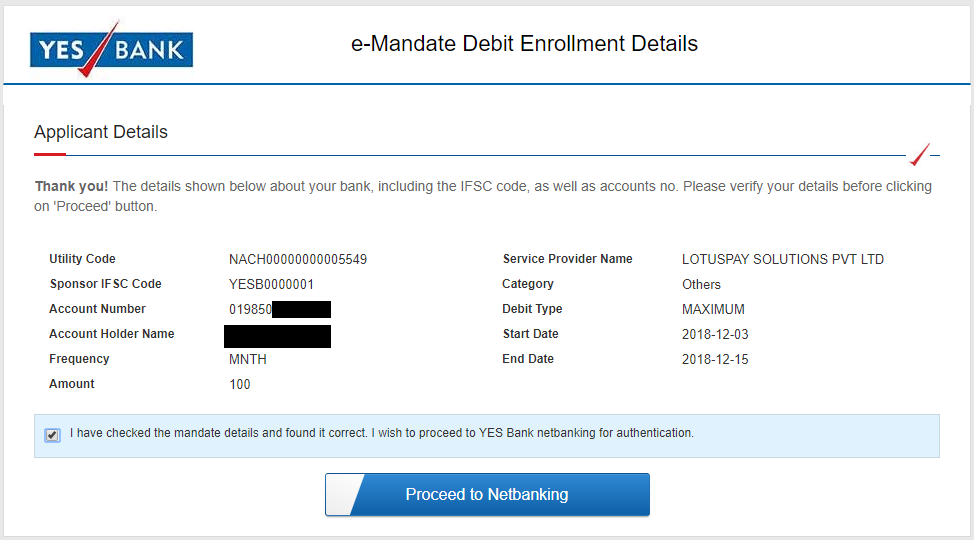
Step 3: You will be redirected to the NPCI website and then to your bank's website. This next step varies depending on your bank's process. Some banks will do the next two steps in reverse order.
Step 4: Review the mandate details and click on the button to proceed.
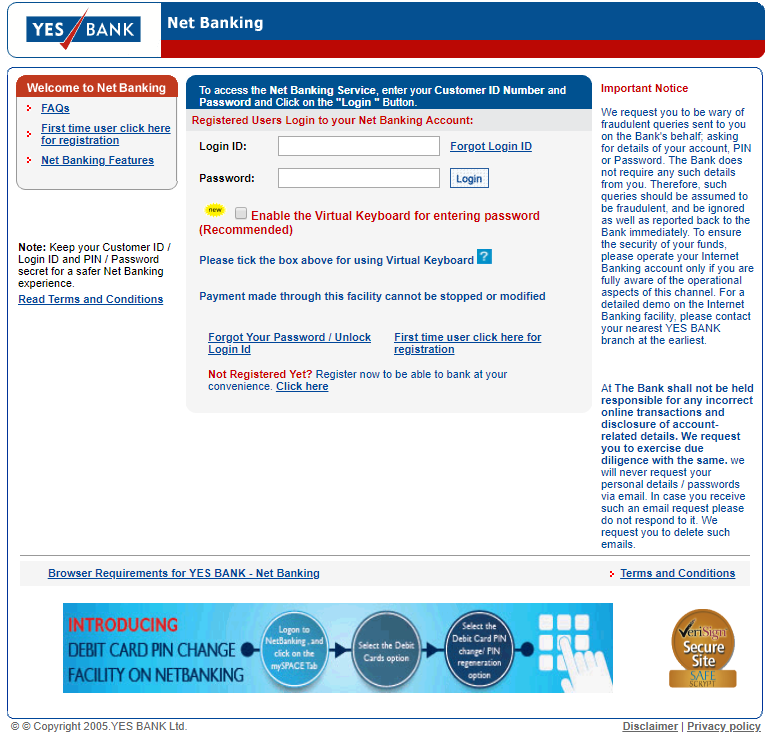
Step 5: Log into your internet banking or enter your debit card and PIN (depending on the option you selected earlier).
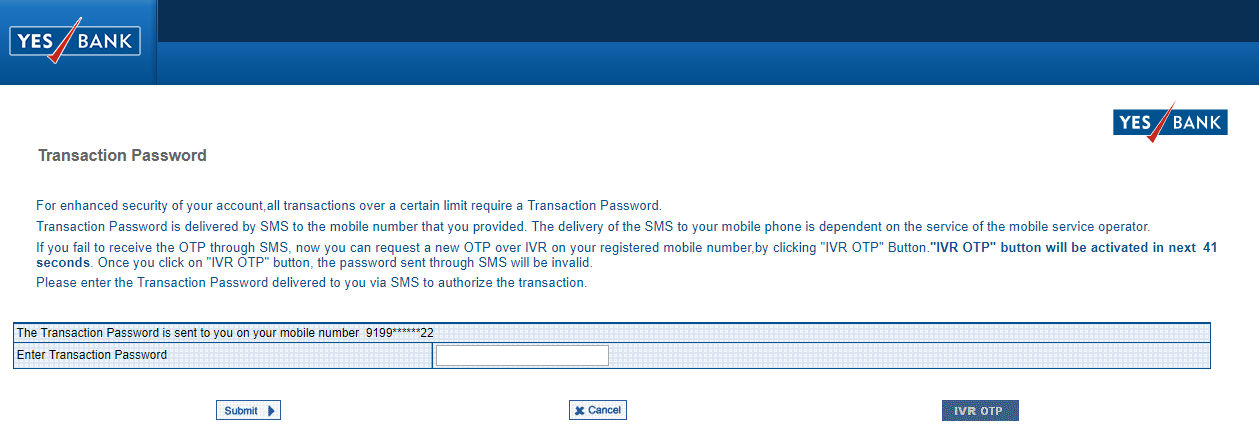
Step 6: You will need to enter an OTP that you receive via SMS to the mobile number registered with your bank. Some banks may also ask your permission to do a one Rupee transaction to authorise the mandate.
You will be redirected back to NPCI, back to LotusPay, and then back to your merchant's website.
That's it - all done!
Troubleshooting tips
In rare cases, you may have trouble completing the above steps. Not to worry! You can always try again using the same link that you started the process from.
SMS not received
If you did not receive the SMS within three minutes, there could be a few reasons:
- Issue: The SMS went to a different mobile number than what you were expecting. Solution: That must be the mobile number registered with your bank. Go ahead and use the OTP.
- Issue: There is a delay in the system. Solution: Wait some time and try again later.
Error message on NPCI website or bank website
If you're seeing an error message on the NPCI page:
- Issue: You entered an invalid bank account number. Solution: Double check the bank account number that you entered matches the netbanking login or debit card that you are using for mandate authorisation.
- Issue: There is a system error. Solution: Wait some time and try again later.